
Master Microsoft Power Apps Table functions
- All prices mentioned above are in United States dollar.
- This product is available at Udemy.
- At udemy.com you can purchase Master Microsoft Power Apps Table functions for only $449.00
- The lowest price of Master Microsoft Power Apps Table functions was obtained on October 10, 2026 8:49 am.

Set Lowest Price Alert
×
Notify me, when price drops
Set Alert for Product: Master Microsoft Power Apps Table functions - $449.00

Price history
×
| Price history for Master Microsoft Power Apps Table functions | |
|---|---|
|
Latest updates:
|
|
Description
| Price history for Master Microsoft Power Apps Table functions | |
|---|---|
|
Latest updates:
|
|
Didn't find the right price? Set price alert below
Set Alert for Product: Master Microsoft Power Apps Table functions - $449.00
Master Microsoft Power Apps Table functions
★★★★★
$449.00 in stock
Udemy.com
as of October 10, 2026 8:49 am
Learn how to solve real life problems using Power Apps table functions

Created by:
Alireza Aliabadi
Microsoft Solutions Architect
Microsoft Solutions Architect
Rating:4.57 (573reviews)
6751students enrolled
What Will I Learn?
- Basic table and database concepts in Power Apps (Record, Table, Arrays, Collection and variables)
- Mass insert, delete and update and detailed analysis about available functions in Power Apps and how to use the efficiently
- Working with Loops and Sequence to process the table items separately
- Bridge between behavior and non-behavior functions
- Condition and alternative options to If and Switch
- Changing table schema to make it fit our solution
- Bulk insert of record to a table/list instead of processing them one-by-one
- Working with fields that contain complex data
- Effect of internal field names and title on the way you use table functions
- Difference between Search, Filter and Lookup and where to use each one of them
- Chose between Sort and SortByColumns to effectively reorder records
- PowerApps aggregate functions
- Counting rows using Count, CountA, CountIf and CountRows. Which one to use?
- Grouping records and removing duplicated records
Requirements
- Familiarity with Microsoft PowerApps
- Understanding the basics of PowerApps development, enough to build a simple App and run it
- Familiarity with PowerApps basic controls
Target audience
- PowerApps developers that would like to work with complex table function
- Citizen developers who would like to understand app development cycles that involves working with data
- People who have learned the basics of PowerApps and want to utilize data tables in their app
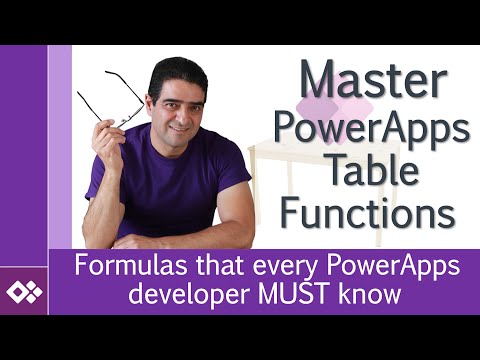
Master Microsoft Power Apps Table functions Videos

Price History
| Price history for Master Microsoft Power Apps Table functions | |
|---|---|
|
Latest updates:
|
|



There are no reviews yet.