
Make an Open Source Drone: More Fun
- All prices mentioned above are in United States dollar.
- This product is available at Udemy.
- At udemy.com you can purchase Make an Open Source Drone: More Fun for only $569.00
- The lowest price of Make an Open Source Drone: More Fun was obtained on March 27, 2026 10:33 am.
Original price was: $64.99.$16.00Current price is: $16.00.
Best deal at:  udemy.com
Buy for best price
udemy.com
Set Lowest Price Alert
×
Notify me, when price drops
Set Alert for Product: Make an Open Source Drone: More Fun - $569.00

Price history
×
| Price history for Make an Open Source Drone: More Fun | |
|---|---|
|
Latest updates:
|
|
Make an Open Source Drone: More Fun
Original price was: $64.99.$16.00Current price is: $16.00.
Description
| Price history for Make an Open Source Drone: More Fun | |
|---|---|
|
Latest updates:
|
|
Didn't find the right price? Set price alert below
Set Alert for Product: Make an Open Source Drone: More Fun - $569.00
Make an Open Source Drone: More Fun
★★★★★
$569.00 in stock
Udemy.com
as of March 27, 2026 10:33 am
Go past the basics and explore some of the most exciting features and capabilities of your drone

Created by:
Dr. Peter Dalmaris
Educator and Author of "Maker Education Revolution".
Educator and Author of "Maker Education Revolution".
Rating:4.72 (172reviews)
3532students enrolled
What Will I Learn?
- Improve the features of your FlySky radio controller so that you can take full advantage of the hardware.
- Set up radio telemetry between your computer and the drone so that you can track and control your drone from your computer in real time.
- Configure fail-safes to prevent avoidable injuries and damage to your drone.
- Record high-definition flight video and transmit first-person video to a monitor on the ground.
- Setup and configure flight modes.
- Design simple and more complicated missions that your drone can execute on its own.
- Dow to use the radio telemetry module with the Matek F405TE flight controller
- How to setup geofencing inclusion and exclusion zones
- How to set up flight modes with the Matek F405TE
- How to use the Mission Planner flight simulator
- How to test geofencing in the simulator
- How to setup the battery monitoring capability in the Matek F405TE
Requirements
- Ideally, you will have completed the course "Make an Open Source Drone".
- The required parts as listed in the Parts and Tools lecture in section 1 (free access).
- A Windows computer with the Mission Planner software.
- A Mac OS computer with the APM software (this includes most functions found in Mission Planner).
Target audience
- Drone pilots who have a basic understanding of their aircraft and are ready to learn more.
- Graduates of Tech Explorations Make an Open Source Drone.
- Anyone interested in learning about the Ardupilot firmware and the Pixhawk flight controller.
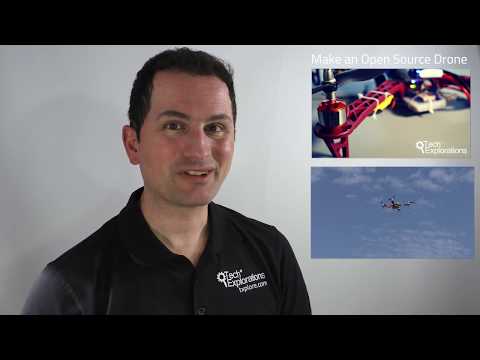
Make an Open Source Drone: More Fun Videos


Price History
| Price history for Make an Open Source Drone: More Fun | |
|---|---|
|
Latest updates:
|
|



There are no reviews yet.